
Short answer
To add a weapon skin in FiveM, close the game and copy the skin, usually an .rpf file, into FiveM’s mods folder (%localappdata%\FiveM\FiveM.app\mods). Each skin replaces one specific weapon: the Combat Pistol, the Pistol MK2, the AP Pistol… You can only have one per weapon, only you can see it, and it only loads on servers that allow mods.
Before you start
- Use FiveM Legacy. Our skins are made for FiveM Legacy. On FiveM Enhanced, pure mode is always on and, while early access lasts, graphics mods can’t be used. If you’re not sure which one you have, check the FiveM Legacy vs Enhanced guide.
- The server has to allow mods. Every server decides for itself. If it uses pure mode, the skin usually won’t load. We explain it in the pure mode guide.
- Make a backup. Copy the whole
citizenfolder and, if you already have stuff inmods, that folder too. Keep the copies outside FiveM, for example on your desktop. - Read the README. Every pack in the Discord comes with its own README (the LEEME file) with the exact path and the weapon it replaces. If anything in this guide doesn’t match the README, go with the README.
Which weapon each skin replaces
A client-side skin doesn’t add a new weapon: it replaces the look of one that’s already in the game. If the skin is for the Combat Pistol, you’ll only see it when you’re holding the Combat Pistol.
Our skins are mostly pistols:
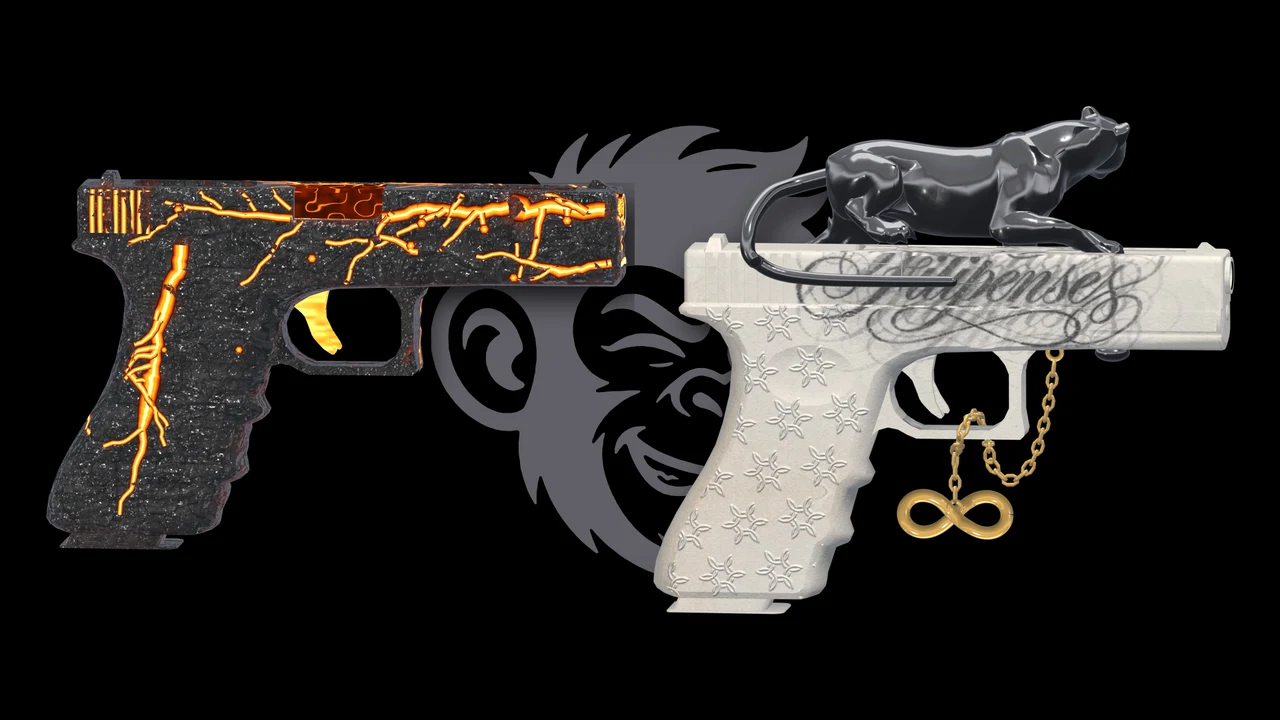
- Combat Pistol, the game’s Glock-style pistol. Check out the Combat Pistol skins.
- Pistol MK2. Check out the Pistol MK2 skins.
- AP Pistol. Check out the AP Pistol skins.
Heads up: in the game these are different weapons. The Pistol, the Pistol MK2 and the Combat Pistol look alike, but a Combat Pistol skin won’t show up if the server gives you the Pistol MK2.
The other big rule: two skins for the same weapon can’t run at the same time. If you drop in two files for the Combat Pistol, they clash. Keep just one per weapon. You can run several skins, though, as long as each one is for a different weapon.
We have more than 80 different skins. The full catalog, with the weapon each one replaces, is in the Discord.
How to install a weapon skin, step by step
- Download the pack from the Discord. If it comes zipped, extract it to your desktop.
- Open the README and check two things: which weapon the skin replaces and which folder the file goes in.
- Close FiveM completely, including from the system tray if it’s still running there.
- Open the FiveM folder. Press Win+R, type
%localappdata%\FiveMand hit Enter. Go intoFiveM.app, which Windows may also show as “FiveM Application Data”. - Go into the
modsfolder. If you don’t have one, the usual thing is to create it yourself with that exact name. The FiveM mods folder guide explains every folder. - Make sure you don’t have another skin for the same weapon. If you do, take it out of
modsbefore you continue. - Copy the skin’s
.rpffile intomods, as the README says. Normally it just goes loose inmods. - Open FiveM, join a server that allows mods and pull out the weapon to check it.
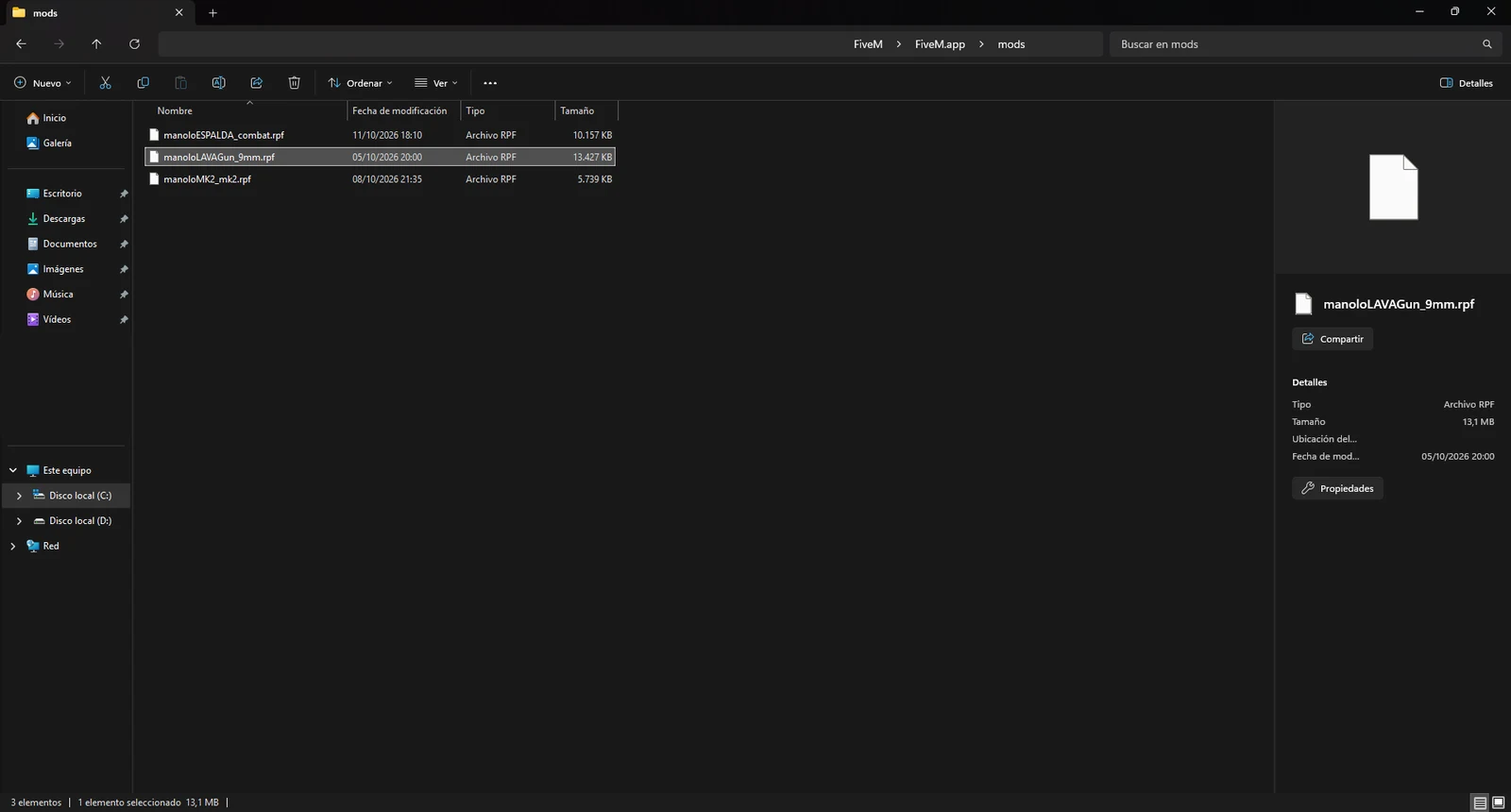
Never put FiveM files in your GTA V install folder. On servers with pure mode, a modified GTA V file gives you an error when you join.
Only you can see it
Client-side skins are only visible to you. Other players see the normal weapon, unless the server itself adds the skin for everyone.
Our skins change how the weapon looks on your screen and nothing else: they don’t touch damage, recoil or anything else in the game. They give you no advantage.
About bans: FiveM global bans are for external programs that inject into the game, and there’s no documented case of a global ban for visual mods. But every server has its own rules and can prohibit mods, so respect them.
How to remove a skin
- Close FiveM.
- Open
%localappdata%\FiveM\FiveM.app\mods. - Take out that skin’s
.rpf. It’s better to move it to a folder outside FiveM than to delete it, in case you want to put it back later. - Open FiveM. The weapon looks stock again.
If you can’t remember which file it was, empty mods and restore the backup you made at the start.
If the skin doesn’t show up
The server uses pure mode
This is the most common cause. With pure mode, modified files in the FiveM folder are ignored: there’s no error, they just don’t load. At level 1 only audio and a few graphics mods signed with an old system get through, so don’t count on a skin loading. Try a server without pure mode or ask in that server’s Discord.
You’re holding a different weapon
Check that the weapon in your hand is the same one the README mentions. A Combat Pistol skin won’t show on the Pistol MK2 or the AP Pistol.
You have two skins for the same weapon
If there are two .rpf files for the same weapon, they clash. Take one out and rejoin.
You’re playing on FiveM Enhanced
On Enhanced, pure mode is always on and graphics mods can’t be used while early access lasts. Our skins are for FiveM Legacy.
The file isn’t in the right place
Check that the .rpf is in FiveM.app\mods, at the path the pack’s README gives, and not in the GTA V folder.
It still doesn’t show
Join the Discord and send us a screenshot of your mods folder plus the name of the skin. We’ll go through it with you.
Quick questions
Can I have several skins at once?
Yes, as long as each one is for a different weapon. For example, one for the Combat Pistol and another for the AP Pistol.
Can my friends see my skin?
No. Client-side skins are only visible to you. They see the normal weapon.
Can I get a skin with my name or my server’s?
Yes, we also make custom skins with your name, your image or your server’s.
How much do they cost?
You can get everything for free inside the community, and people there will explain how. For custom orders, join the Discord and ask about prices. If you want to see what’s available, start with our FiveM weapon skins.
Stuck? On the Discord we help you install it and the files are ready for you.
Join the DiscordMore in Weapon skins · All guides