
Image in the sky
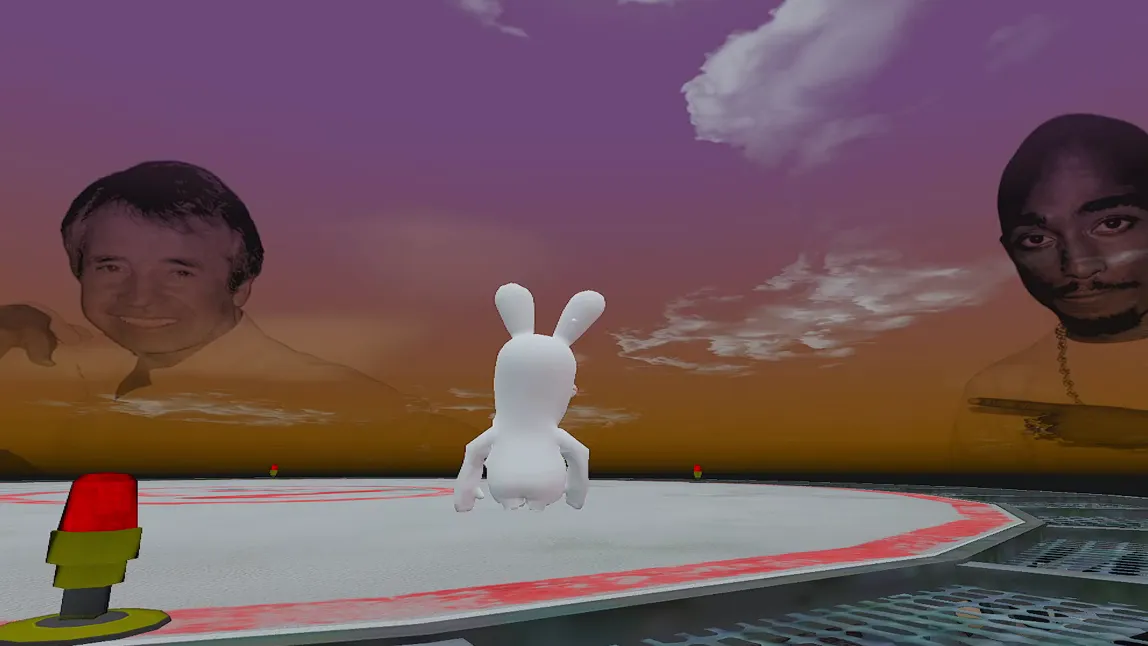
A big image in the Los Santos sky that you see every time you look up.
Citizens that change how FiveM looks: an image in the sky, clouds, colors, water and a fixed time of day. Any of them has a light version that's easier on your PC, for PvP too, and you can get everything for free inside the community.
Join the DiscordUpdated on By manolocfg
A big image in the Los Santos sky that you see every time you look up.
Clouds with a different shape and light, and changed ambient colors to give the city a whole new feel.
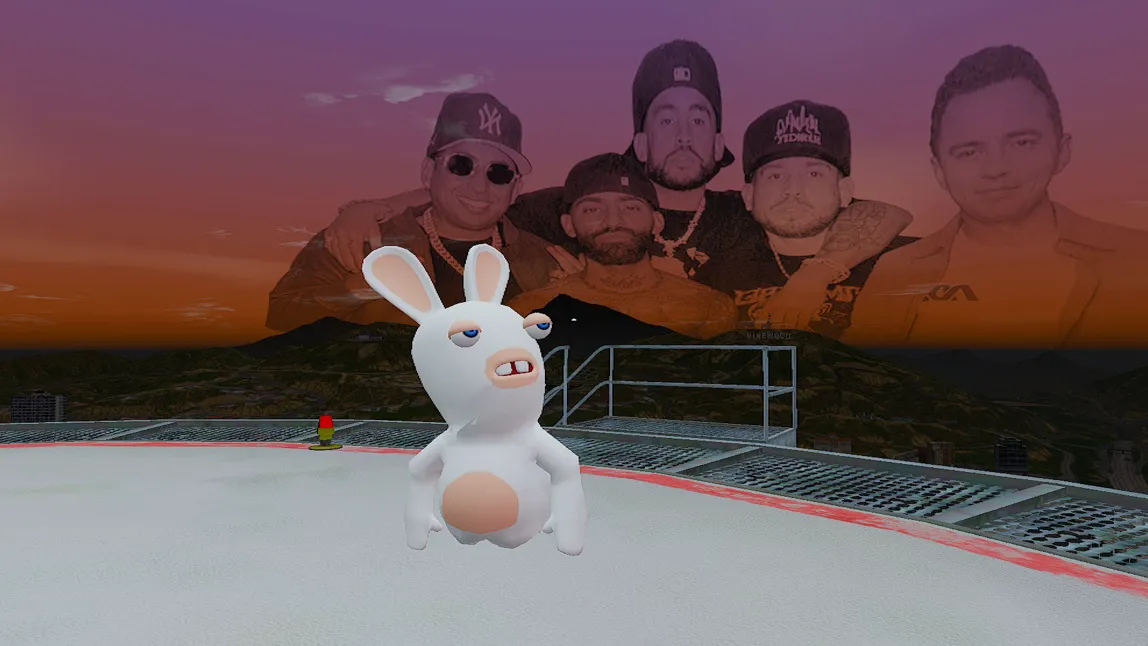
Always the same time of day, so the atmosphere doesn't change while you play.
A citizen is a pack of files that changes how FiveM looks: the lighting, the sky, the colors and the atmosphere at each time of day. It replaces some files in FiveM’s citizen folder (FiveM.app\citizen): the ones in citizen\common\data and the ones in the timecycle subfolder.
It doesn’t change the map, the cars or how the guns work. It changes what you see. That’s why lots of people search for it as a “graphics mod” or “FiveM graphics”. It’s not a program either: it’s data files you copy into a folder, with nothing that gets inside the game.
Since it’s on your PC, the citizen only changes what you see. Other players on the server don’t notice it.
Our citizens with an image combine several things:
We test every citizen in-game before uploading it to Discord, to see how it really looks and not just in a picture.
If you play PvP, what you want is to see clearly. We don’t have a separate PvP category: every citizen has a light version, with fewer effects on top, and that’s what people usually search for as a “PvP citizen”. And if you’re looking for a realistic citizen for roleplay, there are also citizens with a natural, more realistic atmosphere.
That light version is also easier on your PC. If you’re looking for an FPS citizen, start there, but we’re not going to promise numbers: what you notice depends on your hardware and the server you play on. If what you want is for FiveM to run smoother, that’s mostly done in Windows and in the game settings, and you’ll find it on the optimize FiveM page and in the guide to graphics settings for PvP.
The timecycle is the set of files that tells the game how the sky looks and how the light falls at each hour. When someone talks about a “FiveM sky mod” or a custom sky, they almost always mean a citizen that changes those values or puts an image in the sky.
That’s why we don’t treat them separately: a custom sky is just another citizen. If you want a specific sky, for example with your server’s image, ask on Discord, because we also do custom modifications.
Before installing, ask yourself these questions:
Back up the whole citizen folder, copy the pack’s files into place and open FiveM. To go back to the original, delete the citizen folder and FiveM downloads it again. We explain it step by step in the guide to installing a citizen in FiveM.
Watch out for updates: sometimes FiveM overwrites the files in citizen. If your citizen stops showing up after an update, install it again. And remember that our citizens are for FiveM Legacy: in the FiveM Legacy vs Enhanced guide we explain why.
The citizen changes the world; the rest completes it. You can add BloodFX and kill effects, 3D weapon skins and a gun sound pack. On Discord we have what every FiveM community has and more: join the Discord and watch each citizen on video before you choose.
It depends on how you play and on your PC. For PvP, or if your PC is struggling, the light version of any citizen; for roleplay, one with an image in the sky or more atmosphere. On Discord you can see every citizen before installing it.
A citizen changes how the game looks, not how your PC performs. Our light versions are easier on your PC, but we don't promise numbers: it depends on your PC and the server. For smoother gameplay, check the optimize FiveM page.
No. The citizen is on your PC and only changes what you see. Everyone else on the server sees the game however they have it set up.
Delete the citizen folder (or the content_index file) and FiveM downloads it again with the original files. It's the method the community uses, and you have it step by step in the guide to installing and removing a citizen.
Most likely the server uses pure mode, which ignores modified files without giving an error. It's also possible that a FiveM update overwrote the files in the citizen folder: install it again. It's all in the pure mode guide.
You can get everything for free inside the community, and they'll explain how there. Custom orders have a price: join the Discord and ask.
That is where you see every skin on video, ask for it, download it and ask questions. Everything can be obtained for free inside the community: join and ask how.