
Plain text, no .exe
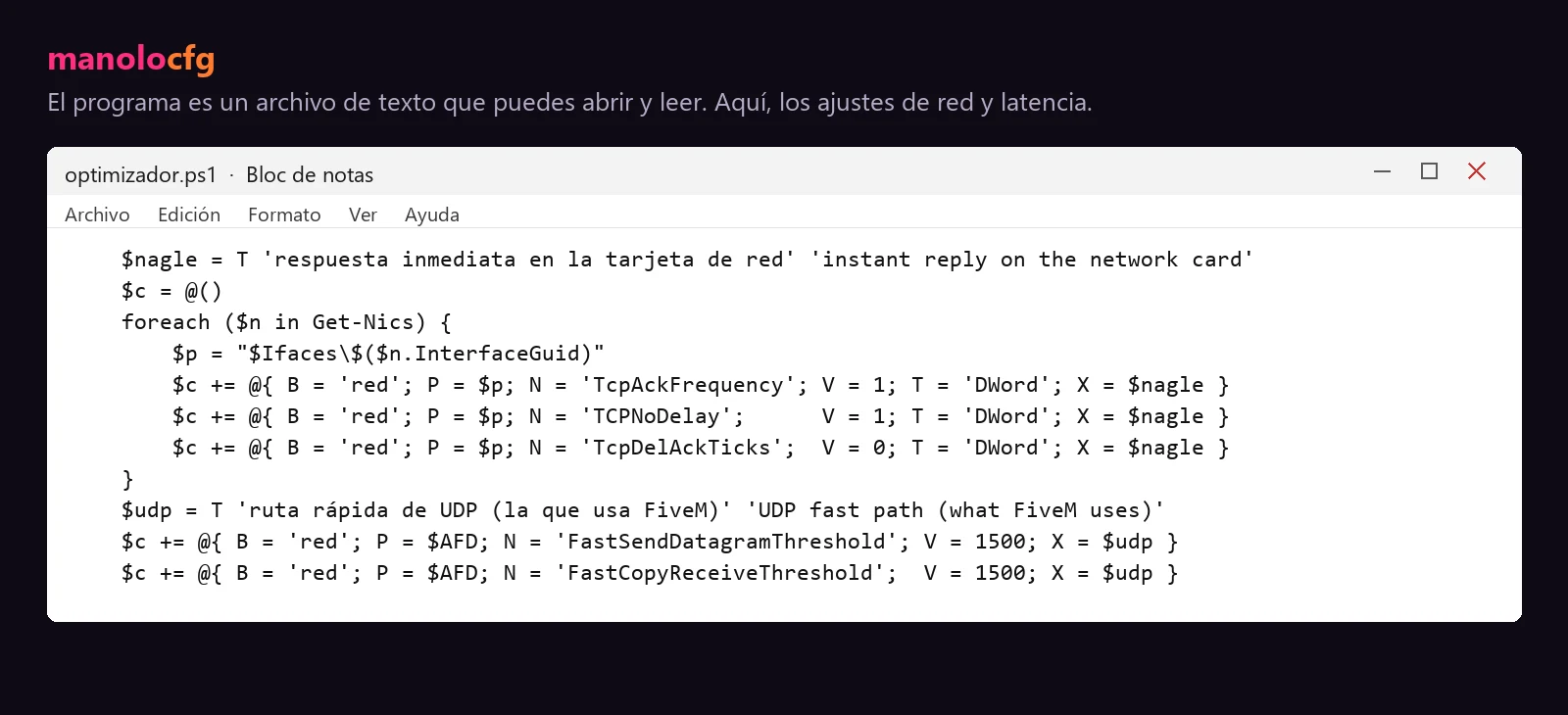
It's an open-source .bat. Open it in Notepad and read line by line what it does before you run it.
A free optimizer with real Windows tweaks for network, latency and FPS that you can read line by line. Plus what actually affects your FPS in FiveM, explained without made-up numbers.
Join the DiscordUpdated on By manolocfg
It's an open-source .bat. Open it in Notepad and read line by line what it does before you run it.
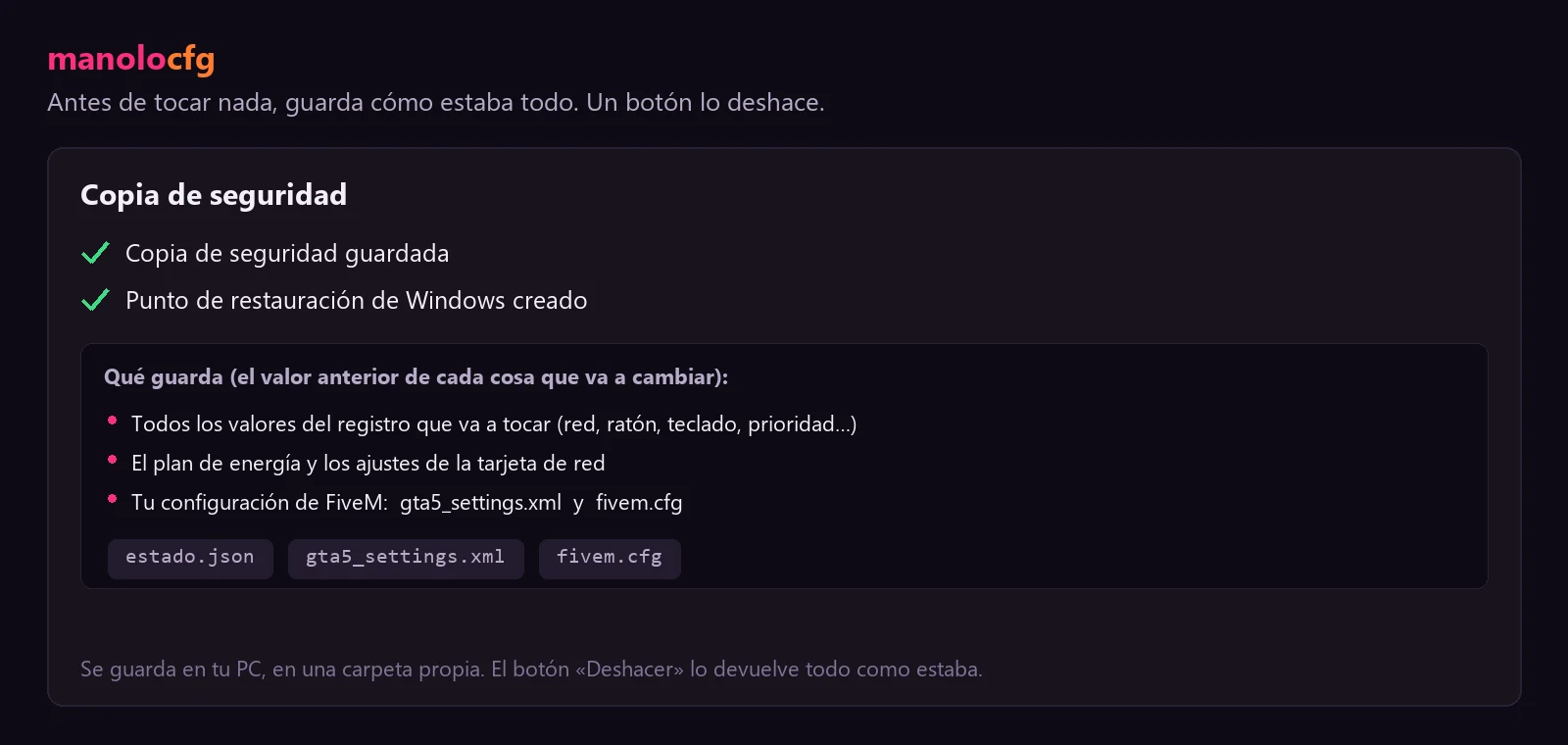
It saves a backup of everything it's going to change, and you undo it all in one click.
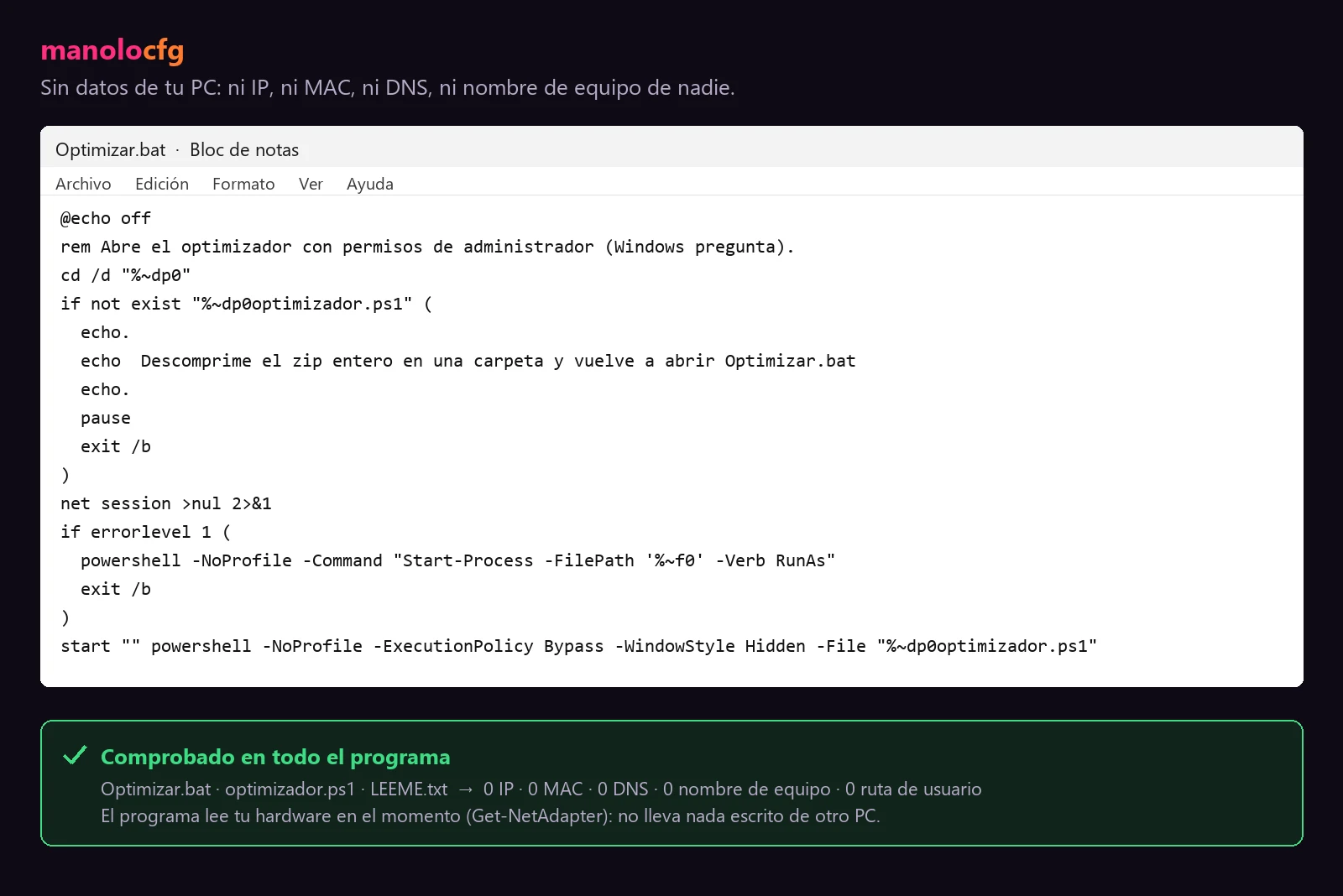
It doesn't carry anyone's IP, MAC, DNS or computer name. Just Windows settings.
Our optimizer sets real network, latency and FPS settings in Windows. Nothing more, nothing less.
There are tons of “FPS boosts” for FiveM that are all hype. This isn’t one of them. Here’s what makes it different:
.bat file: open it in Notepad and read line by line what it does. No sketchy .exe files.If someone promises you’ll drop so many milliseconds of ping, for sure, they’re lying. This removes real sources of latency; it doesn’t do magic.
We want you to know exactly what gets changed on your PC before you run anything:
.bat before running it. Right-click, “Open with” and choose Notepad. Every setting is right there.The program (Optimizar.bat, which opens optimizador.ps1) only touches what you see here. Each item has its own checkbox, so you can leave out anything you don’t want. It doesn’t “multiply your FPS”: these are Windows, driver and FiveM settings that cut latency and stutter.
| Where, in the registry | What it sets | What it’s for |
|---|---|---|
…\Tcpip\Parameters\Interfaces\{your adapter} → TcpAckFrequency |
1 |
Instant reply from the network card (removes delayed ACK). |
…\Tcpip\Parameters\Interfaces\{your adapter} → TCPNoDelay |
1 |
Turns off Nagle’s algorithm: packets go out without waiting. |
…\Tcpip\Parameters\Interfaces\{your adapter} → TcpDelAckTicks |
0 |
No delay when acknowledging packets. |
…\AFD\Parameters → FastSendDatagramThreshold |
1500 |
Fast UDP path when sending (FiveM uses UDP). |
…\AFD\Parameters → FastCopyReceiveThreshold |
1500 |
Fast UDP path when receiving. |
…\Policies\…\DeliveryOptimization → DODownloadMode |
0 |
Windows stops using your upload to share its updates with other PCs. |
| Where, in the registry | What it sets | What it’s for |
|---|---|---|
HKCU\Control Panel\Mouse → MouseSpeed, MouseThreshold1 and MouseThreshold2 |
0 |
Turns off mouse acceleration: you aim 1:1. Your sensitivity isn’t touched. |
HKCU\Control Panel\Keyboard → KeyboardDelay |
0 |
No delay when holding a key. |
HKCU\Control Panel\Keyboard → KeyboardSpeed |
31 |
Key repeat at the highest rate Windows allows. |
…\Accessibility\Keyboard Response → Flags |
122 |
Turns off Filter Keys and its shortcut. |
…\Accessibility\StickyKeys → Flags |
506 |
Removes the Shift ×5 prompt that kicks you out of the game. |
…\Accessibility\ToggleKeys → Flags |
58 |
Removes the Caps Lock and Num Lock prompt. |
| Where, in the registry | What it sets | What it’s for |
|---|---|---|
…\Multimedia\SystemProfile → NetworkThrottlingIndex |
0xFFFFFFFF (off) |
Windows stops throttling the network while you play. |
…\Multimedia\SystemProfile → SystemResponsiveness |
10 |
Less CPU reserved for background tasks. It’s the value Microsoft recommends, not 0. |
…\SystemProfile\Tasks\Games → GPU Priority |
8 |
High GPU priority in the Windows “Games” profile. |
…\SystemProfile\Tasks\Games → Priority |
6 |
High CPU priority for games. |
…\SystemProfile\Tasks\Games → Scheduling Category and SFIO Priority |
High |
The scheduler and disk I/O treat games as a priority. |
…\Control\Power\PowerThrottling → PowerThrottlingOff |
1 |
Windows stops slowing programs down to save power. |
HKCU\System\GameConfigStore → GameDVR_Enabled and …\CurrentVersion\GameDVR → AppCaptureEnabled |
0 |
Turns off Xbox Game Bar background recording. |
HKCU\Software\Microsoft\GameBar → AutoGameModeEnabled and AllowAutoGameMode |
1 |
Turns on Windows Game Mode. |
| Where, in the registry | What it sets | What it’s for |
|---|---|---|
…\CurrentVersion\Search → BingSearchEnabled |
0 |
Start search stops showing Bing results. |
…\Policies\…\Explorer → DisableSearchBoxSuggestions |
1 |
No web suggestions in search. |
…\ContentDeliveryManager → SilentInstalledAppsEnabled, PreInstalledAppsEnabled and OemPreInstalledAppsEnabled |
0 |
Windows stops installing ad or manufacturer apps on its own. |
…\ContentDeliveryManager → SystemPaneSuggestionsEnabled and SubscribedContent-338388Enabled |
0 |
No “suggestions” or promoted content in Start. |
…\Policies\…\CloudContent → DisableWindowsConsumerFeatures |
1 |
Windows stops installing games and ad apps. |
powercfg): turns on the High performance plan, turns off PCIe link power saving (ASPM), unparks the cores and keeps the processor from throttling down. Only when plugged in: on battery, a laptop keeps saving power.gta5_settings.xml and fivem.cfg): competitive graphics, a texture budget based on your VRAM and AMD Anti-Lag. It doesn’t touch the game files.Windows services (not SysMain, Prefetch, the event log, PcaSvc or search either), Defender, the firewall, virtualization, TPM, Secure Boot, the clock or your PC’s identity (MAC, serial number, computer name). It doesn’t delete Prefetch, logs, history or the recycle bin. Everything is written to a text log, in case a server checks your PC.
The optimizer is a free download on Discord. Join the Discord and ask for it; people there will tell you where it is and help you if something doesn’t add up.
There’s no magic setting. Your FPS in FiveM depends on your PC, your settings and, a lot, on the server you play on. This is what usually helps, in this order:
cl_drawfps true. Always measure in the same spot, with the same camera and similar weather, or you won’t know if something helped. We explain it in how to show FPS in FiveM.str_maxVehicleTextureRes with a value lower than the default (1024) lowers the quality of car textures and frees up memory. And game_setDefaultEntityCapLimitToLow true, according to the FiveM documentation, can help on modest PCs.resmon true in the console. If one resource uses way more than the others, the bottleneck is most likely that script, not your PC. Let the server staff know.If you don’t know where to start, begin with the first two steps: measuring and tweaking the graphics. That’s usually where you notice it most, especially on a low-end PC.
Stutters aren’t the same as low FPS. You can have a high number and still get the game freezing for a moment when you turn or reach a new area. They usually come from:
resmon. If it happens on one server and not on another, this is the most likely cause.str_maxVehicleTextureRes can help.FiveM.app\data; that’s not a step from the FiveM documentation. Separately, if FiveM gives you missing components errors, its documentation says to delete the caches.xml file from the application folder (%localappdata%\FiveM\FiveM.app). We explain it in where the FiveM folder is.cl_drawperf true or netgraph true.No cheats or programs that give you an advantage, nothing that gets into the game and nothing that hides your PC. We won’t promise you numbers either. What we do is explain what each thing does so you can decide for yourself.
If besides performance you want to change how the game looks or sounds, check out our citizens, gun sounds and weapon skins.
Yes. You can download it for free on our Discord. You can also ask there if you have questions about any setting.
We're not going to give you a number, because nobody can know it without seeing your PC. The optimizer removes real sources of latency in Windows, and the result depends on your hardware, your connection and the server. Measure before and after with cl_drawfps.
The optimizer doesn't touch FiveM or the game: it only changes Windows settings. FiveM global bans are for external programs that inject into the game, and this doesn't inject into anything. Even so, every server has its own rules: respect them.
The optimizer makes a backup before changing anything and reverts everything in one click. Windows goes back to how it was.
It helps keep Windows out of the way, but on a low-end PC what you'll notice most are the in-game settings. Start with the guide to graphics settings for PvP and a light citizen.
Since it only changes Windows settings and doesn't touch FiveM, it doesn't matter which FiveM you use.
That is where you see every skin on video, ask for it, download it and ask questions. Everything can be obtained for free inside the community: join and ask how.