
Short answer
You install a citizen by copying its files into FiveM’s citizen folder, which is at %localappdata%\FiveM\FiveM.app\citizen. Before you touch anything, copy that whole folder somewhere else: that’s your backup. To remove it, put your backup back, or delete the citizen folder and FiveM downloads it again.
This guide is for FiveM Legacy. If you’re not sure which one you use, check FiveM Legacy or Enhanced first.
What a FiveM citizen changes
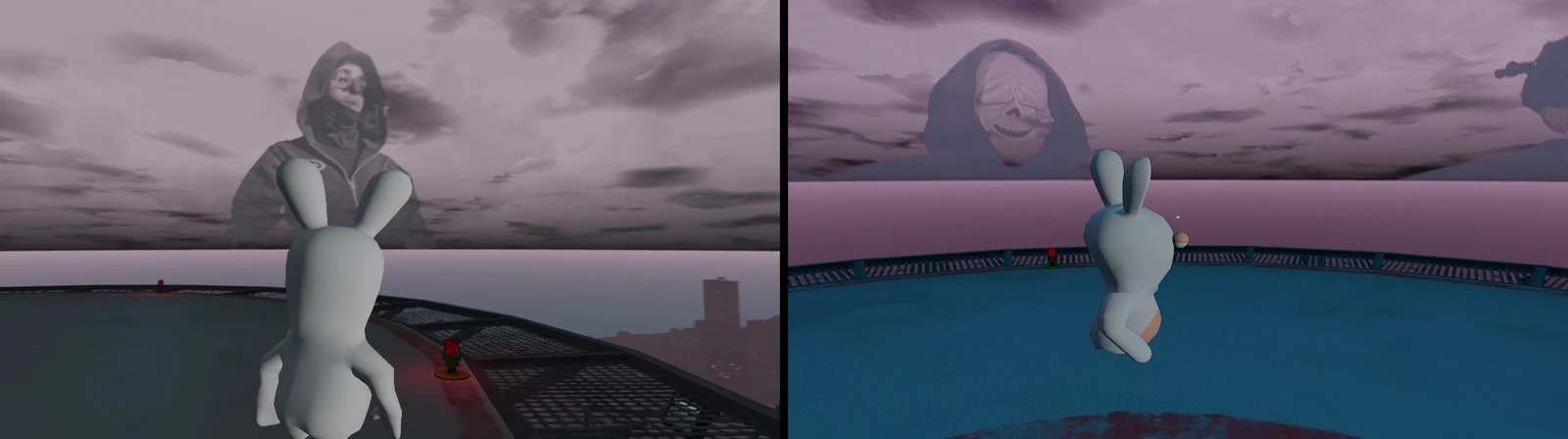
A citizen changes how the game world looks. The ones we make at manolocfg mainly change this:
- The sky. There are citizens with an image: a picture in the sky that you see when you look up.
- The clouds, their shape and their color.
- The colors and lighting for day and night (what the community calls the timecycle).
- The water.
- A fixed time of day, so you always play with the same light.
Some versions are lighter on your PC than others. We’re not going to promise you FPS: the result depends on your PC and the server. If performance is what you’re after, also check optimize FiveM.
All our citizens, with screenshots, are on the FiveM citizen page.
Before you start
Check these four things. That way you avoid the most common problems.
- You’re on FiveM Legacy. On FiveM Enhanced, pure mode is always on and, for as long as early access lasts, you can’t use graphics mods.
- The server allows mods. Each server decides. If it uses pure mode, modified files in the FiveM folder are ignored: there’s no error, they just don’t load. It’s all explained in the pure mode guide.
- FiveM is fully closed. Close it from the icons next to the Windows clock too, if it’s still running there.
- You’ve downloaded and unzipped the citizen. Every pack comes with its own README (the LEEME file) with the exact path for its files. Read it first.
How to install citizen in FiveM, step by step
- Download the citizen from our Discord and unzip it to your desktop. Inside you’ll see a
citizenfolder and the README. - Open the FiveM folder. Press Win+R, type
%localappdata%\FiveMand press Enter. - Go into
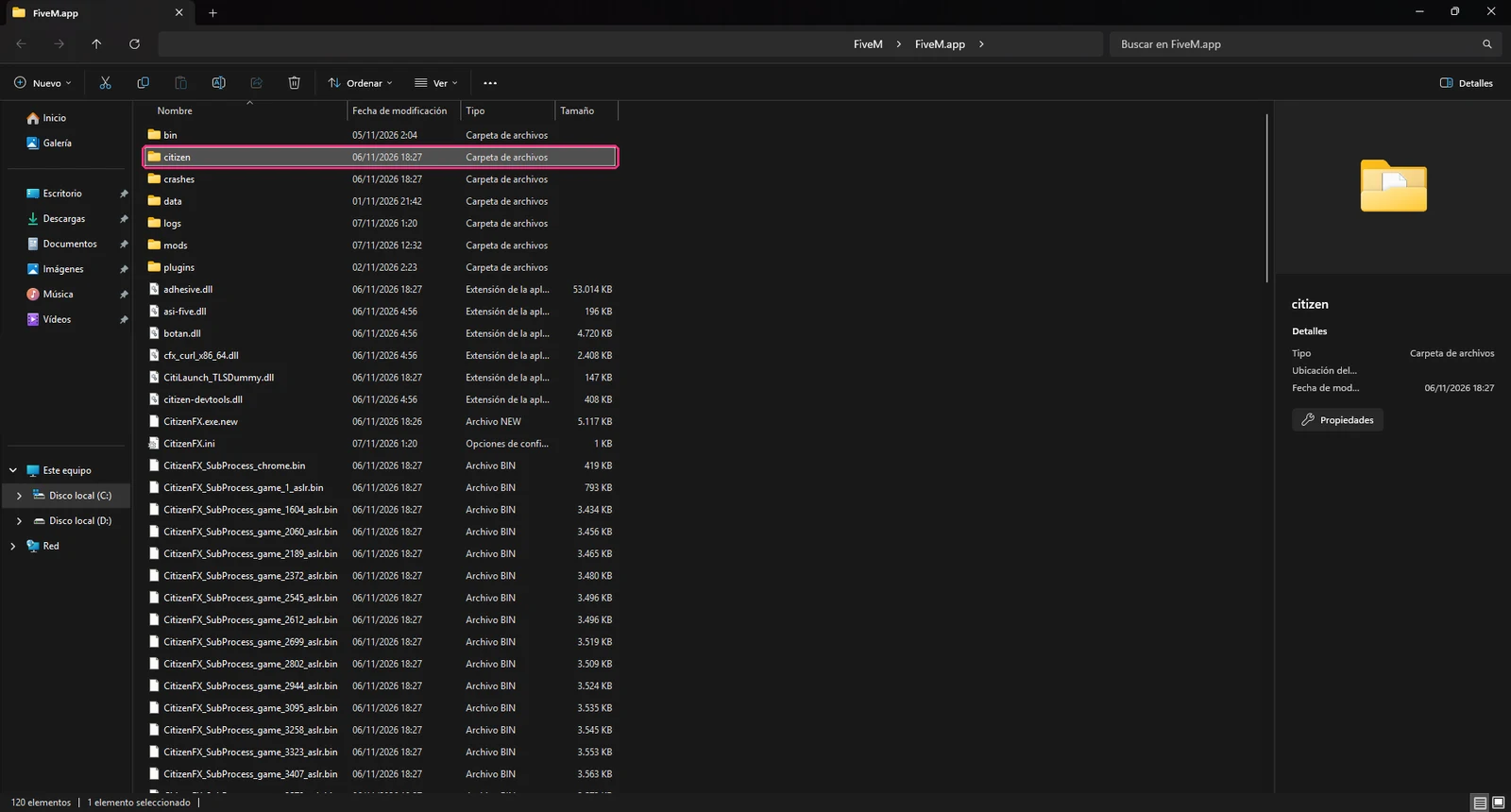
FiveM.app. You might see it named “FiveM Application Data”. Thecitizenfolder is inside. If you get lost, our FiveM folder guide explains what everything is. - Make the backup. Copy the whole
citizenfolder (right-click, Copy) and paste it somewhere else, for example in Documents. Rename it tocitizen-originalso you don’t mix them up. - Copy the new citizen. Drag the pack’s
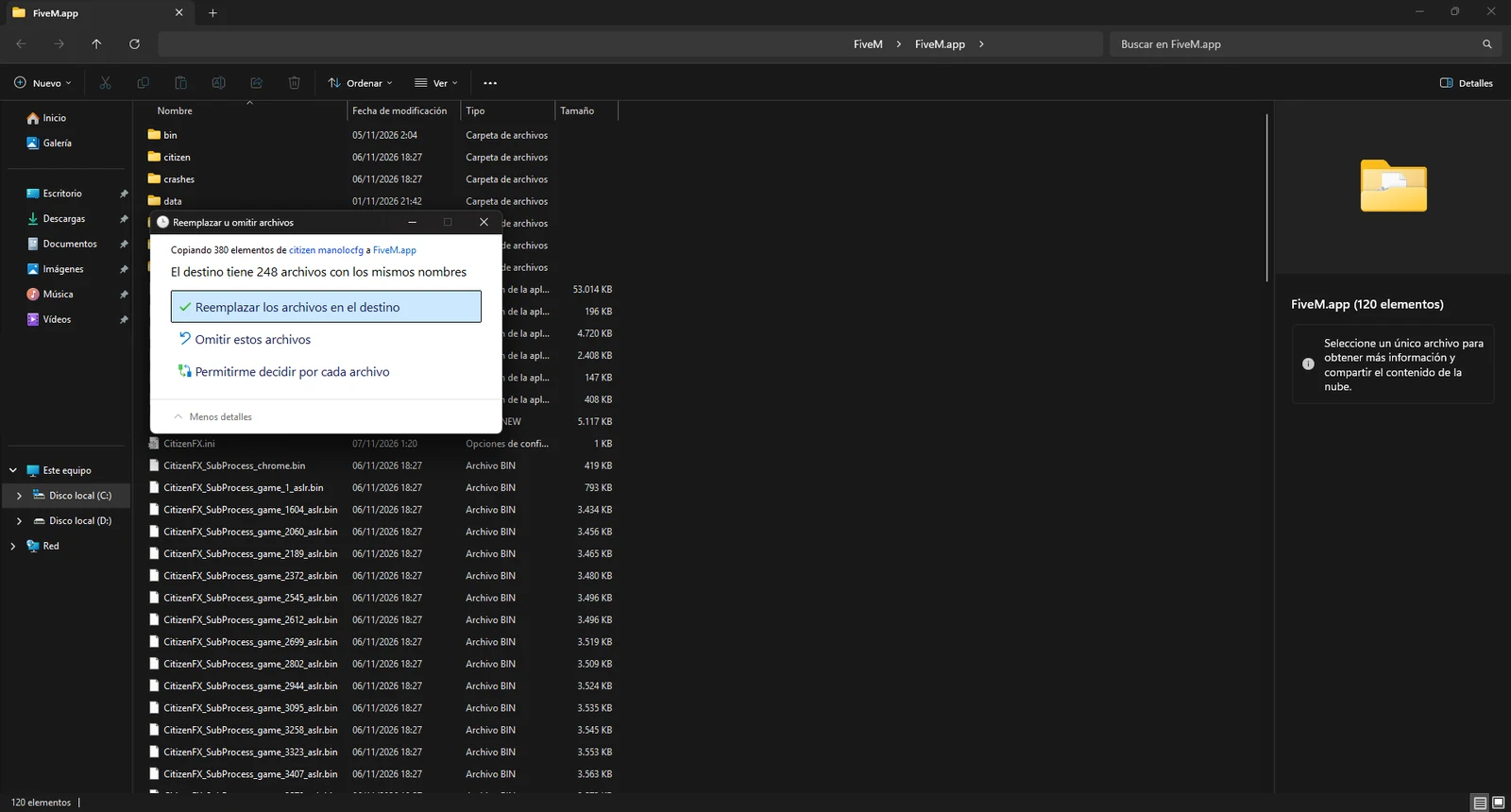
citizenfolder ontoFiveM.app. Windows will ask what to do with the files that already exist: choose Replace the files in the destination. - Check the path. Citizen files usually go in
citizen\common\dataand in its timecycle subfolder. If you see acitizenfolder inside anothercitizenfolder, you copied it one level too deep: move it up one level. - Open FiveM and test it. Join a server that allows mods and look at the sky, the water and the lighting. If it’s a fixed-time citizen, the light shouldn’t change as time goes by.
How to remove a citizen and go back to the original
There are two ways. Both work with FiveM closed.
With your backup (the cleanest way):
- Open
%localappdata%\FiveM\FiveM.app. - Delete the
citizenfolder. - Paste your
citizen-originalintoFiveM.appand rename it tocitizen. - Open FiveM.
Without a backup:
- Open
%localappdata%\FiveM\FiveM.app. - Delete the whole
citizenfolder (or just thecontent_indexfile inside it). - Open FiveM. It may take a bit longer to start, because it downloads the original files again.
This second method is the community one. It’s not in the Cfx.re documentation, but it’s the one that comes up most on the forum. If something looks off afterwards, do it again.
If the citizen doesn’t show up
Go through this in order:
- Does the server use pure mode? That’s usually the cause. Try another server you know allows mods. If it shows there, the problem isn’t your install. We don’t know of any official indicator in the server list that tells you whether a server has pure mode; sometimes it’s in their rules or on their Discord.
- Are you on FiveM Enhanced? You can’t use graphics mods there during early access, so the citizen won’t show even if you have it installed. Open FiveM Legacy.
- Did FiveM update? Updates can overwrite the files in the
citizenfolder. If the citizen was showing and suddenly isn’t, redo step 5. That’s why we recommend keeping the pack you downloaded. - Is it in the right folder? Check step 6. A classic mistake is copying it into the GTA V folder instead of the FiveM one. If you modified files in your GTA V install, on pure mode servers FiveM warns you with an error that tells you which file it is: put it back the way it was.
- Did you install one citizen on top of another? If you install one without removing the previous one, files from both can get mixed and you end up with weird colors. Go back to the original and install just one.
- Does FiveM show a component error when it opens? The Cfx.re documentation says to delete the
caches.xmlfile in the application folder. We show you where it is in the FiveM folder guide.
If none of this works, join the Discord and tell us which citizen it is and which server, and send a screenshot of your citizen folder. We’ll sort it out with you.
Quick questions
Can other players see my citizen?
No. It’s a change to the files on your PC, so only you see it. Other players see the game with whatever they have installed themselves.
Can I get banned for using a citizen?
A citizen only changes how you see the game, and we don’t know of any global bans for that. If a server bans mods in its rules, don’t use it there. There’s more on this in the FAQ.
Does a citizen boost FPS?
A citizen changes the look; it’s not an optimizer. Some versions are lighter on your PC, and you may notice that depending on your setup, but we don’t promise it. To tweak Windows we have a free optimizer, explained in optimize FiveM.
How much does it cost?
You can get everything for free inside the community, and we’ll explain how there. We also do custom work: join the Discord and ask about prices.
Stuck? On the Discord we help you install it and the files are ready for you.
Join the DiscordMore in Citizen · All guides